Test version — the app is in a closed test and the legal texts are a draft that may change.
Skip to content

Ayva / Personal AI for Android

A personal AI that speaks up first.

Ayva watches your calendar, commute and the messages that matter, and tells you in time — before you have to remember. Hold the power button anytime and just talk or type.

Coming soon to Google Play · Android · 18+

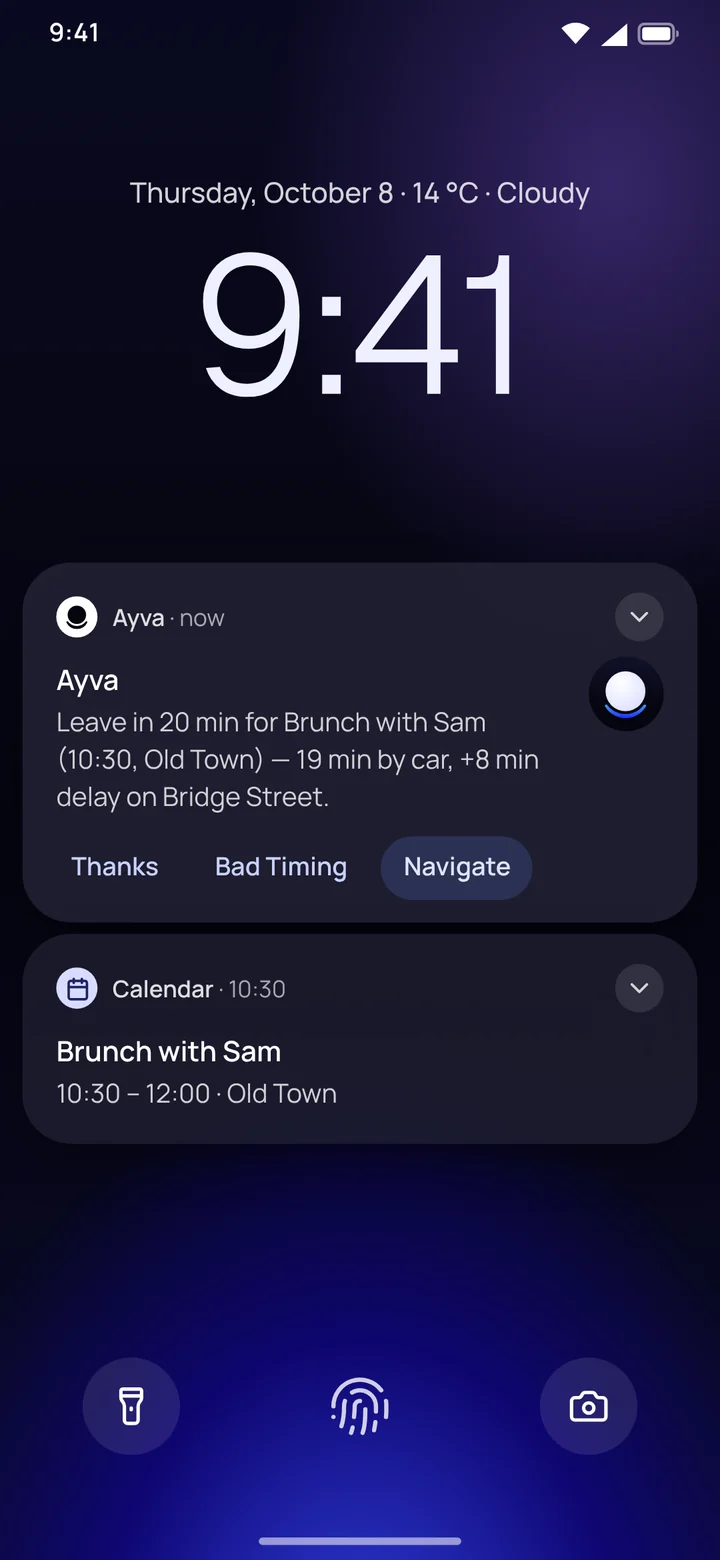
A phone lock screen with a heads-up from Ayva: leave in 20 minutes, the drive takes 19 minutes and there's a delay on the way.

01 — Capabilities

One assistant.
Everything connected.

Ayva works with what's already on your phone — your calendar, maps and notifications — held together by memory and voice.

Chat that remembers

Natural conversation in English, Czech and more. Answers come from OpenAI models (text) and Google Gemini (voice); Ayva adds what she knows about you and looks up fresh facts on the web.

Real-time voice

Talk naturally, like to a person, with no walkie-talkie pauses. Ayva answers right away.

Speaks up on her own

A morning overview of your day, weather and meeting heads-ups. She spots what matters in your notifications and speaks up at the right moment.

Calendar

What's coming up in every calendar on your phone — Google, Outlook or Samsung. Just say it and Ayva adds, moves or deletes an event.

Reminders

“Remind me tomorrow at eight.” Done. And when plans change, she moves the reminder.

Navigation

Directions by car, on foot, by bike or public transport in Google Maps, including stops on the way.

Automations

When you get in the car, arrive at work or join a Wi-Fi network, Ayva gets ready what you asked for in advance: what you need to know she tells you right away, and anything that changes something — playing music, adding to your calendar — she offers as a single tap.

Understands your screen

Ask about whatever is in front of you. Ayva translates, explains or sums it up.

Memory you control

She remembers your habits, people and plans. The app shows everything she knows about you, and you can correct or delete any of it.

02 — On your phone

This is Ayva
in real life.

Real screens from the app — from a heads-up on your lock screen to everything Ayva knows about you.

  1. A heads-up from Ayva on the lock screen: leave in 20 minutes, there's a delay on the way.

    01 / 08

    Speaks up before you remember

    She watches your calendar and traffic and tells you when to leave — right on your lock screen.

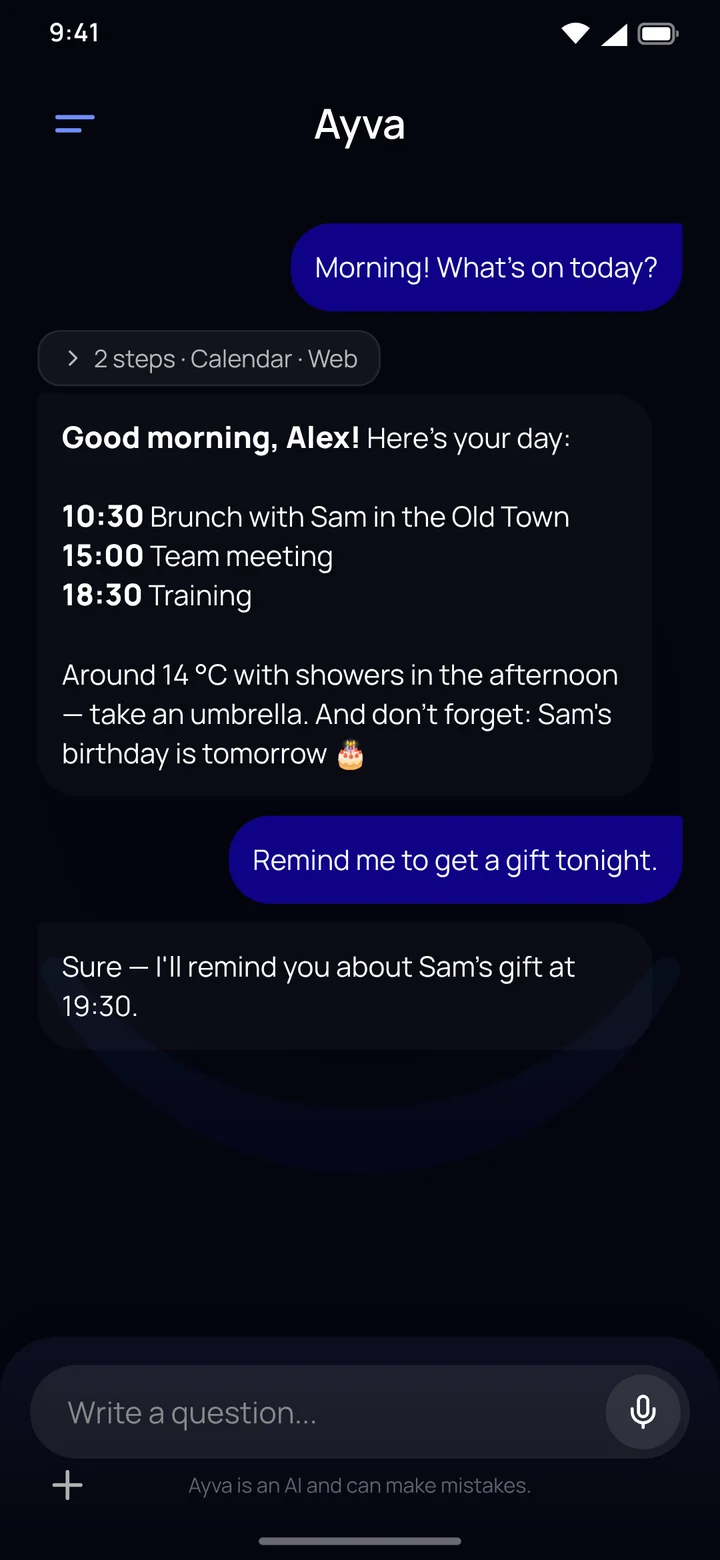
  2. A morning briefing in the Ayva chat: the day's events, the weather and a birthday reminder.

    02 / 08

    Know your day every morning

    Meetings, weather and what not to forget. Just ask what's on today.

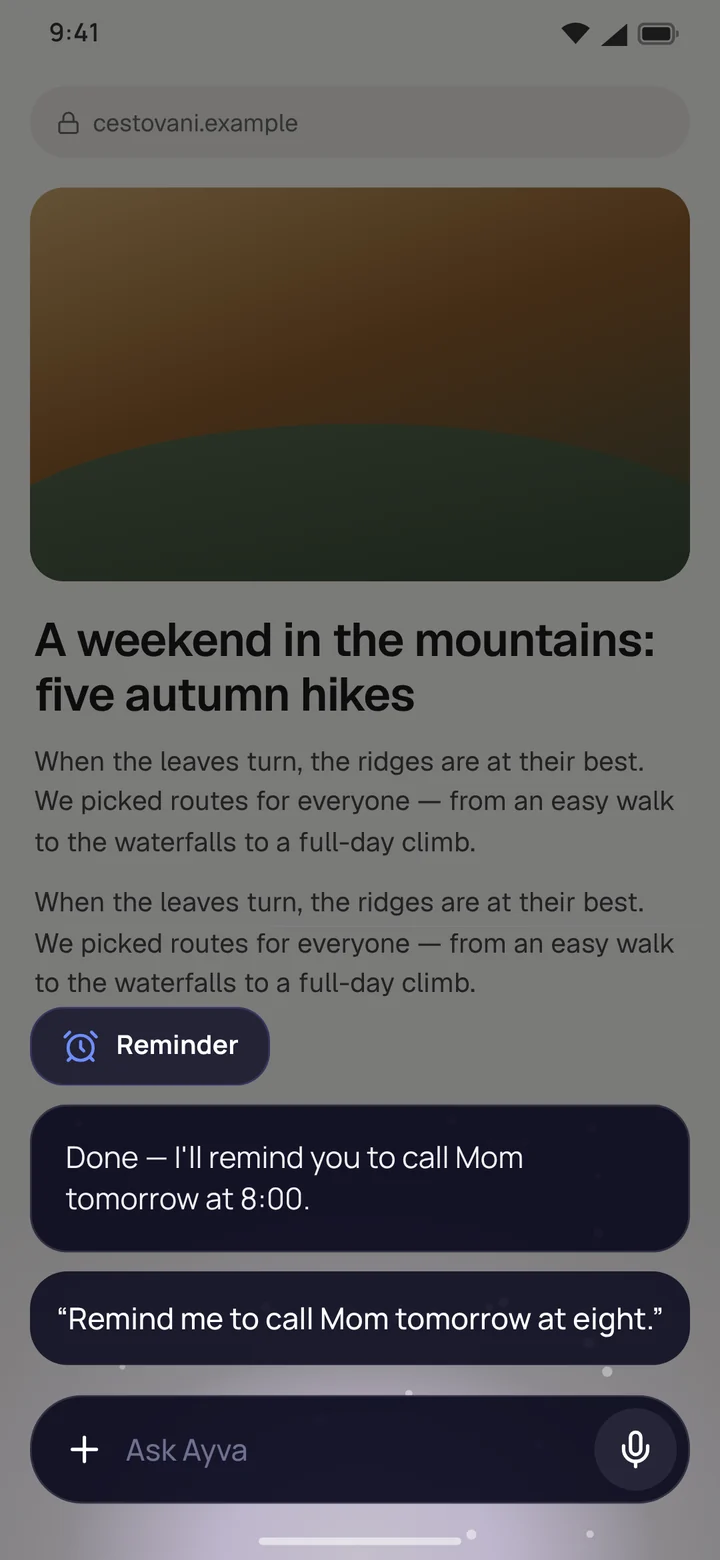
  3. Ayva's floating window over an open article: a voice reminder to call Mum.

    03 / 08

    AI on the power button

    Hold it over any app and just talk. Ayva opens in a floating window and you carry on where you were.

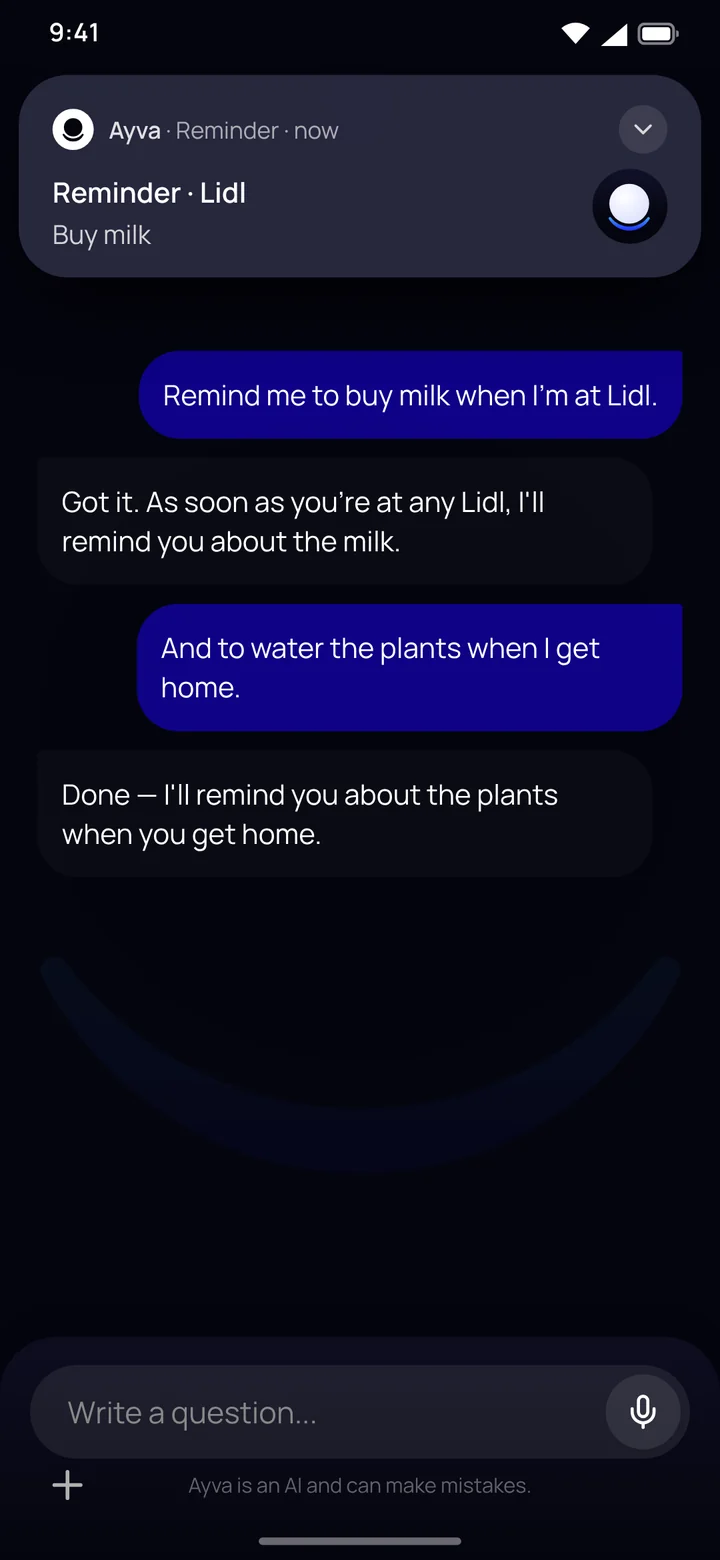
  4. A place-based reminder: a “Buy milk” notification on arriving at the shop.

    04 / 08

    Reminders at the right place

    “Remind me to get milk when I'm at the shop.” When you get there, Ayva lets you know.

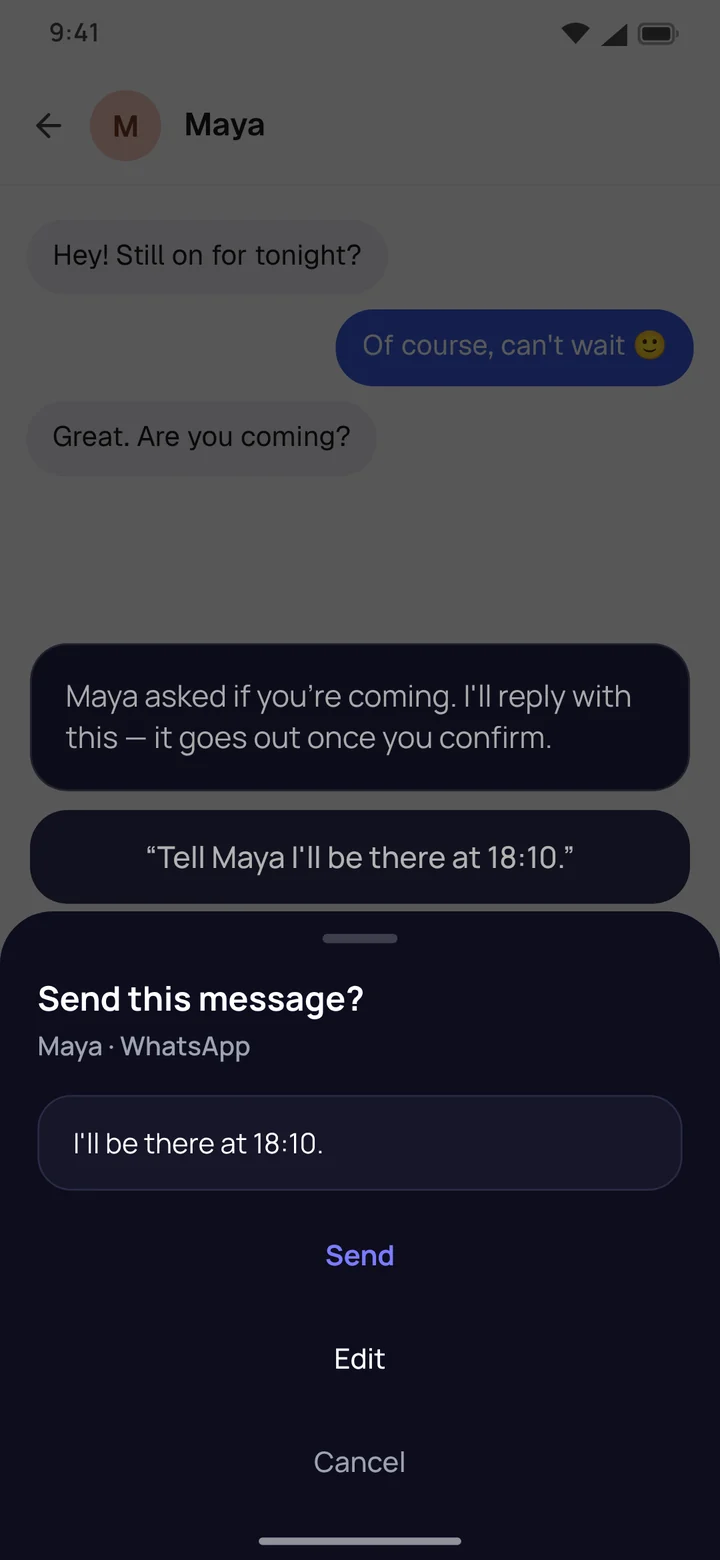
  5. Ayva drafts a WhatsApp reply and waits for confirmation: Send, Edit, Cancel.

    05 / 08

    Replies for you — only when you confirm

    She drafts a reply to a message. It goes out only when you say so.

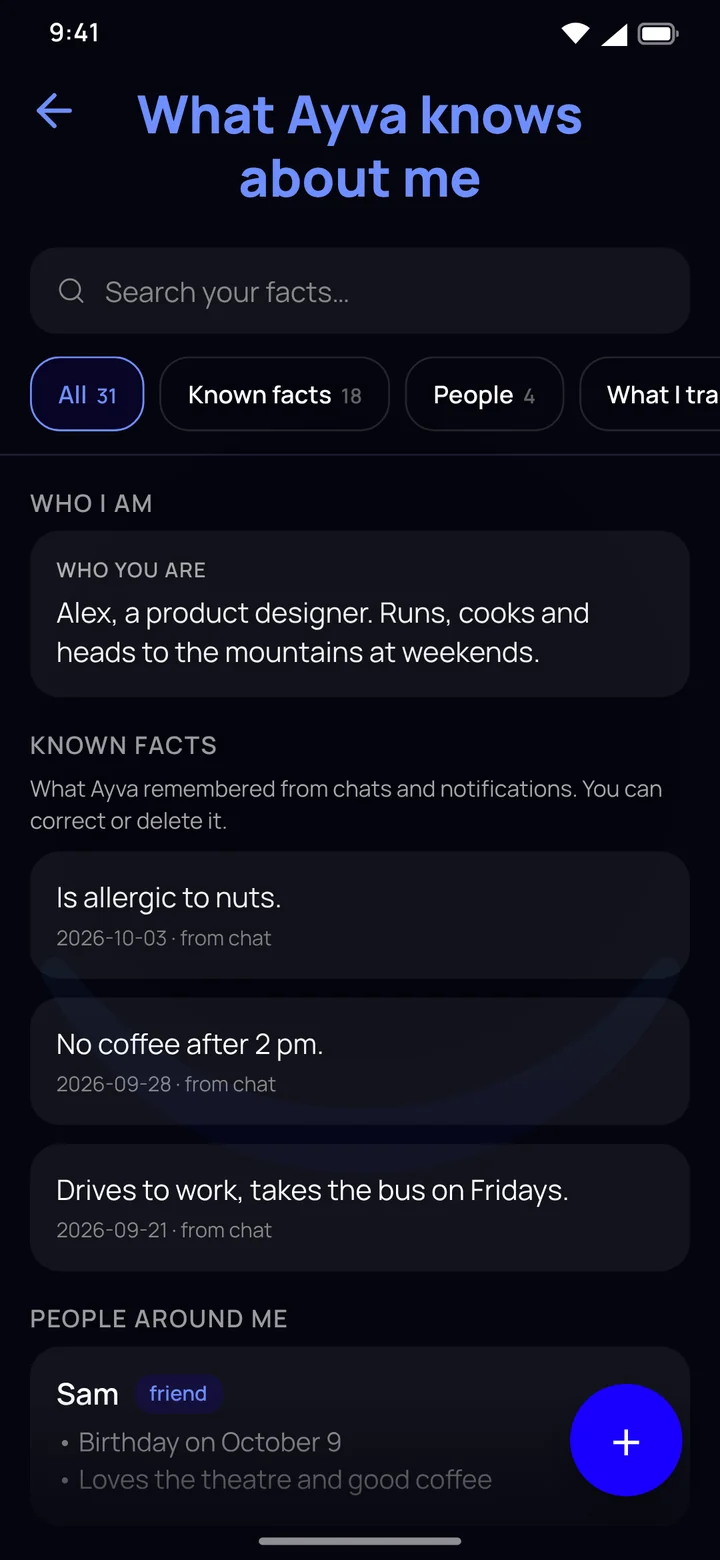
  6. The “What Ayva knows about me” screen listing remembered facts and people.

    06 / 08

    Always see what she knows

    Browse, correct or delete her memory — facts, the people around you and the things she keeps track of.

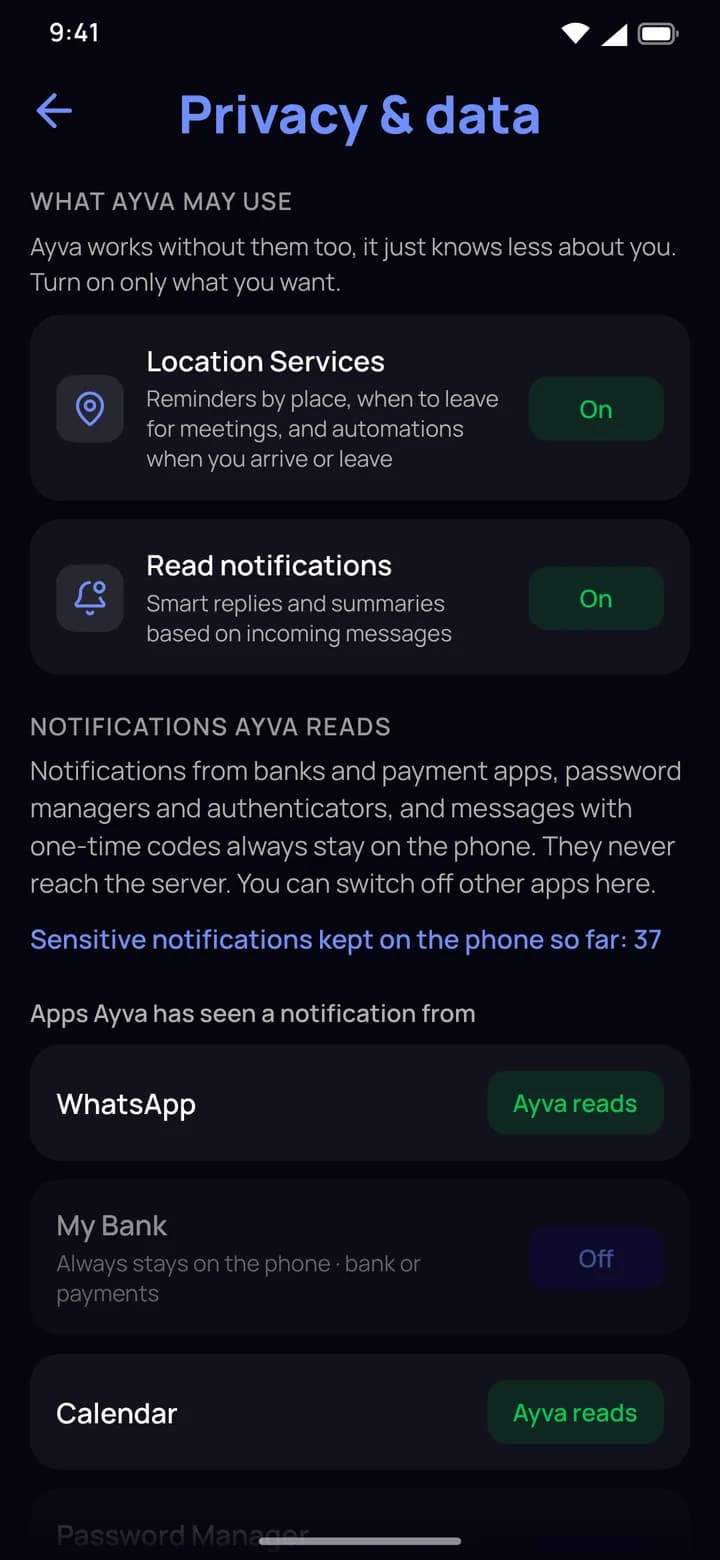
  7. The Privacy and data screen with permission switches and the apps whose notifications Ayva reads.

    07 / 08

    Your data. Your rules.

    Turn on each permission separately, and off any time. Bank notifications and codes stay on your phone.

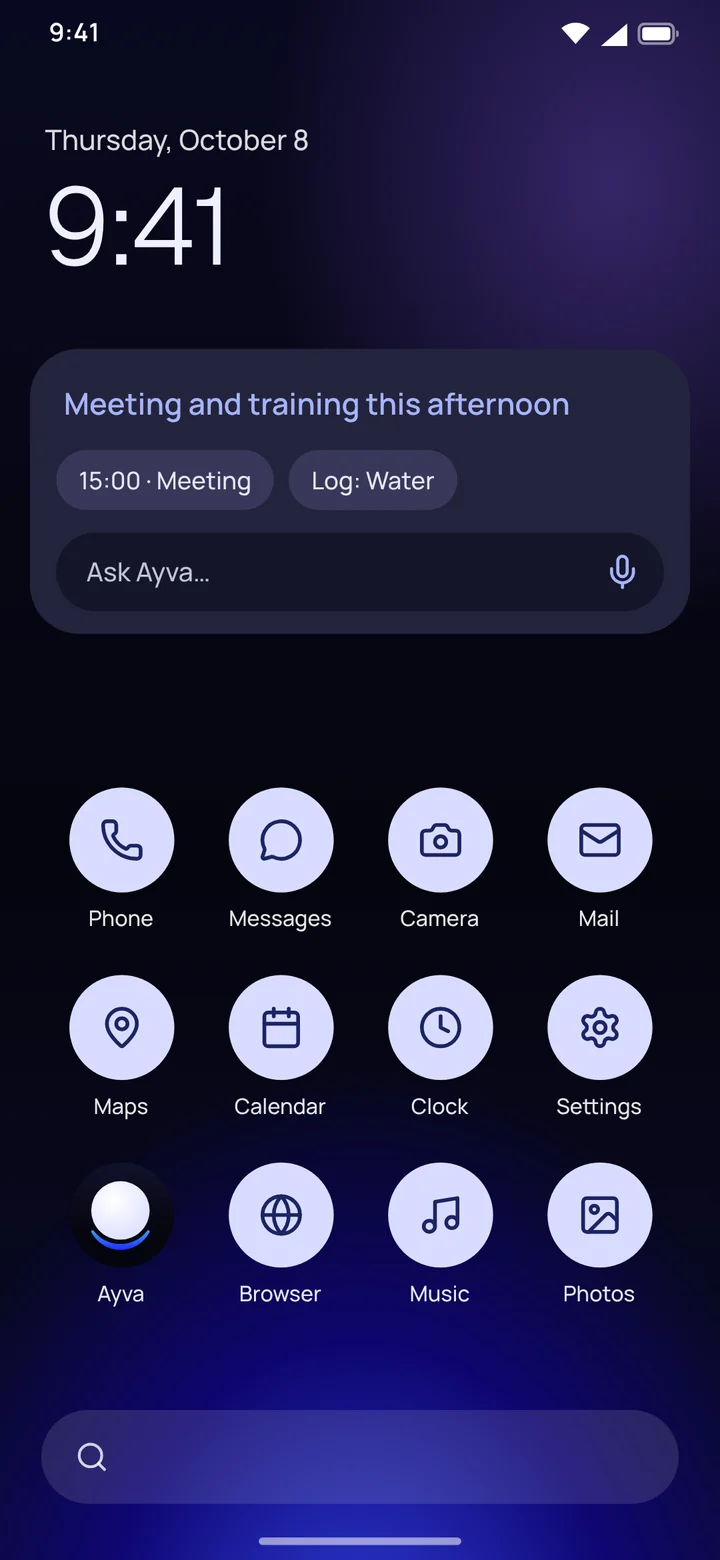
  8. A home screen with the Ayva today widget: an afternoon meeting and training, and an “Ask Ayva” field.

    08 / 08

    Your language, EU servers

    The Ayva today widget: your day at a glance and a quick question right from your home screen.

Answers are generated by AI

03 — Always at hand

One press
away.

Set Ayva as your default assistant. Hold the power button anywhere on your phone and a floating Ayva window opens over whatever app you're using.

Instant access
Hold the power button on any screen — no hunting for an icon.
Floating window
Ayva opens over the app you're in. Ask and carry on.
Voice & text
Speak or type — whatever suits the moment.
“Ayva today” widget
Your day at a glance and a quick question right from the home screen.

04 — Privacy

Your data.
Your rules.

Ayva sees a lot — your calendar, notifications, location. That's why we talk about how we handle data in concrete terms, without big words.

  • Servers in the EU

    Our backend and database run in Frankfurt. No ads, and we don't sell your data.

  • Sensitive notifications stay on your phone

    Messages from banking and health apps and one-time verification codes are filtered out on the phone itself. They never reach our servers.

  • Encryption

    Sign-in tokens for connected services, chat messages, contacts and the text of remembered facts are stored encrypted. The privacy policy says what isn't encrypted yet.

  • See what she knows

    The app shows everything Ayva remembers about you. Correct or delete anything.

  • Export and delete anytime

    Download your data in the app, and delete your account with all its data in the app or on the web.

  • Straight talk: it's AI

    Ayva's answers are generated by OpenAI models (text) and Google Gemini (voice). She's an artificial intelligence and can make mistakes — don't rely on her blindly for important things.

Privacy Policy

05 — Get started

Three steps.
A few minutes.

  1. Join

    Ayva is not publicly on Google Play yet; it is in a closed test. Join the waitlist further down this page to hear when it launches. To join the test, sign up at https://ayvaai.com/tester with the e-mail of your Google Play account.

  2. Connect

    Connect the calendar on your phone, allow location and notifications. You decide what Ayva may use — and can change it anytime.

  3. Talk

    Ask, give tasks, or just type. The longer you use Ayva, the better she understands you.

06 — Pricing

Fair pricing.
Pick your plan.

No ads, no selling your data. You pay for Ayva, so she works for you.

Pricing details

Ayva

Everything Ayva can do.

14 days free

CZK 299/ monthincl. VAT

In the eurozone €12.99 a month incl. VAT. Elsewhere, Google Play shows you the price in your local currency.

Included

  • Chat with memory and web search
  • Real-time voice — up to 75 minutes a month
  • Morning overview and timely heads-ups
  • Calendar on your phone (Google, Outlook, Samsung)
  • Reminders
  • Navigation in Google Maps
  • Automations (car, places, Wi-Fi, time)
  • Help with what's on your screen
  • See and edit what Ayva knows about you
  • “Ayva today” widget and power-button access
Tell me when it launches

Ayva Plus

For people who talk to Ayva a lot.

14 days free

CZK 499/ monthincl. VAT

In the eurozone €21.99 a month incl. VAT. Elsewhere, Google Play shows you the price in your local currency.

Included

  • Chat with memory and web search
  • Real-time voice — up to 150 minutes a month
  • Morning overview and timely heads-ups
  • Calendar on your phone (Google, Outlook, Samsung)
  • Reminders
  • Navigation in Google Maps
  • Automations (car, places, Wi-Fi, time)
  • Help with what's on your screen
  • See and edit what Ayva knows about you
  • “Ayva today” widget and power-button access
Tell me when it launches
  • On Android the subscription is billed through Google Play, on desktop and the web through a web payment. The free trial needs a payment method — cancel within 14 days and you pay nothing.
  • There is one free trial per user, shared across all plans, and it may have lower limits (mainly for voice).
  • After the trial the subscription renews every month (once a year on the yearly plan) until you cancel. Cancel anytime, no commitment — on Android in Google Play, a subscription bought on the web in Ayva under Settings → Subscription.
  • The app is for Android 7.0 or newer. Ayva is a service for adults, 18+.

07 — FAQ

Frequently asked questions

What is Ayva?

Ayva is a personal AI assistant for Android that speaks up on her own. She watches your calendar, your commute and the messages that matter, and tells you in time — before you remember. Hold the power button and ask by voice or in text. Answers are generated by OpenAI models (text) and Google Gemini (voice). Ayva is artificial intelligence and she can be wrong.

How do I become a tester, or hear when Ayva launches?

Ayva is not publicly on Google Play yet; she is in a closed test. Sign up for the test at https://ayvaai.com/tester with the e-mail of your Google Play account; that page walks you through the Google Group and the link to install the test version. To hear about the public launch, join the waitlist on this page. Once you confirm your e-mail, we'll write when Ayva is on Google Play.

Is Ayva an AI assistant that speaks Czech?

Yes. Ayva is a personal AI assistant for Android that speaks and writes Czech, English and other languages. She keeps an eye on your calendar and reminders and speaks up on her own — with a morning briefing or a heads-up before a meeting.

Does Ayva understand Slovak?

Yes. Ayva understands Slovak and other languages and answers you in them.

Which languages do Ayva and this website use?

Ayva speaks and writes Czech and English, understands Slovak and other languages, and answers in them. This website is in Czech and English. There is no Slovak version — a browser set to Slovak is shown the Czech pages.

Does Ayva work on iPhone? Which Android do I need?

iPhone isn't supported yet. Ayva runs on phones with Android 7.0 or newer and Google Play services.

How much does Ayva cost?

The base Ayva plan costs CZK 299 / €12.99 a month incl. VAT, or CZK 2,490 / €109.99 a year (≈ CZK 207.50 / €9.17 a month, save up to 31 %). Ayva Plus, with a bigger voice limit, costs CZK 499 / €21.99 a month. The first 14 days are free. On Android you pay through Google Play, which shows the price in your local currency in other countries; on desktop and the web through a web payment.

How do I cancel my subscription?

In Google Play: profile → Payments & subscriptions → Subscriptions → Ayva → Cancel. Ayva keeps working until the end of the period you've paid for.

Where are Ayva's servers, and what happens to my data?

Ayva's server and database are in the EU (Frankfurt), but answers are generated by OpenAI models (text) and Google Gemini (voice) on OpenAI's and Google's servers outside the EU (in the USA). Chat messages, contacts and the text of remembered facts are stored encrypted. We don't sell your data and there are no ads. Whatever Ayva reads from your phone, you turn on separately and can turn off any time.

Can I see what Ayva knows about me and delete my data?

Yes. In the app you can see what Ayva remembers about you and correct or delete it. You can download your data and delete your account in the app's settings or on the website.

How is Ayva different from a regular voice assistant?

Ayva speaks up on her own when it matters — with a morning briefing or before you need to leave for a meeting. You call her up by holding the power button, she remembers what you tell her, and you can always see what she knows about you.

What if Ayva gets something wrong?

Ayva is artificial intelligence, not a person, and she can make mistakes — so double-check anything important. She only sends a message for you after you confirm it.
08 — Be there first

Ayva is coming.
Be among the first.

We'll e-mail you as soon as Ayva is on Google Play. Once you confirm your e-mail, you'll see your place in line and get a personal link — every friend who joins through it moves you 5 places up (up to 10 friends count).